01
CPS
Left and right click counters with a configurable separator and free-text prefixes and suffixes, so you can render 12 | 4, CPS: 12, or anything else you like.
Loading CPS demo
 Eymistaken's HUD
Tap to try it
Not a screenshot — the real thing behaves like this in game.
Left and right click counters with a configurable separator and free-text prefixes and suffixes, so you can render 12 | 4, CPS: 12, or anything else you like.
Not a fixed WASD block. The bundled designer lets you draw your own layout: add any key or mouse button, resize it, drag its label independently, recolor individual keys, and dress the whole thing in one of eleven designs — Neon, Wedge, Hex, Pixel Bevel and the rest. Any key can carry its own CPS counter.
A visual editor for the keystrokes layout with pixel-perfect snapping, context menus, drag-and-drop, per-key colors and unlimited undo and redo. Browse the eleven designs in a gallery whose cards animate themselves, then stack motions and fills on top — and let any single key override any of it. Not a module of its own — it is where the Keystrokes layout above is drawn.
A hit-streak counter with a heatmap. It waits for the server to confirm each hit, shows a combo landed on you as a negative line, freezes for an instant on a kill or a new tier, and saves your best combo — beat it and the counter flashes BEST.
The exact distance of your last hit, to 2 decimal places. Optionally filters to players only, and can stay on screen with a custom no-hit-yet label instead of disappearing.
Your armor, main hand and off hand as item icons with durability bars. Vertical or horizontal, hotbar-style slot backgrounds, exact durability numbers, and a red flash when a slot takes damage. Every slot is independently placeable.
Frames per second, updated every tick, with custom suffix text, color, scale, rainbow mode and a background — for when you want the number without opening F3.
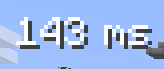
Server latency in milliseconds, taken from your own player-list entry and refreshed whenever the server sends a latency update. Custom color, scale and background.
Press Right Shift
Everything you see in the editor is live. Drag a module — or a single armor slot — to place it exactly. Right-click it for its own settings without leaving the screen.
Read the user guideAlign left / center / right, top / middle / bottom, and distribute two or more elements evenly.
Snaps to other modules' edges with a magenta guide, gliding into place instead of jumping. Optional 4 / 8 / 16 / 32 pixel grid, arrow-key nudging, and scroll to scale from 50% to 300%.
Keeps two modules from ever covering the same pixels, resolving to the nearest free rectangle.
Save the whole HUD under a name, let each server remember its own, or export everything as one EYMHUD1-… string and paste it to a friend. Imports are validated before anything is applied, and a timestamped backup is taken first.
simplecps_presets/.For developers
A module registered through the eymistaken_hud entrypoint gets a settings page, a slot in the editor, and its state carried inside presets, server configs and share codes.
public class MyPlugin implements EymistakenHudPlugin {
    @Override
    public void registerHudModules(HudModuleManager manager) {
        manager.registerModule(new MyHudModule());
    }

    @Override
    public void registerEvents(EymistakenHudEventBus bus) {
        bus.subscribe(ComboStreakEvent.class, event -> {
            if (event.level() >= 2) playHypeSound();
        });
    }
}